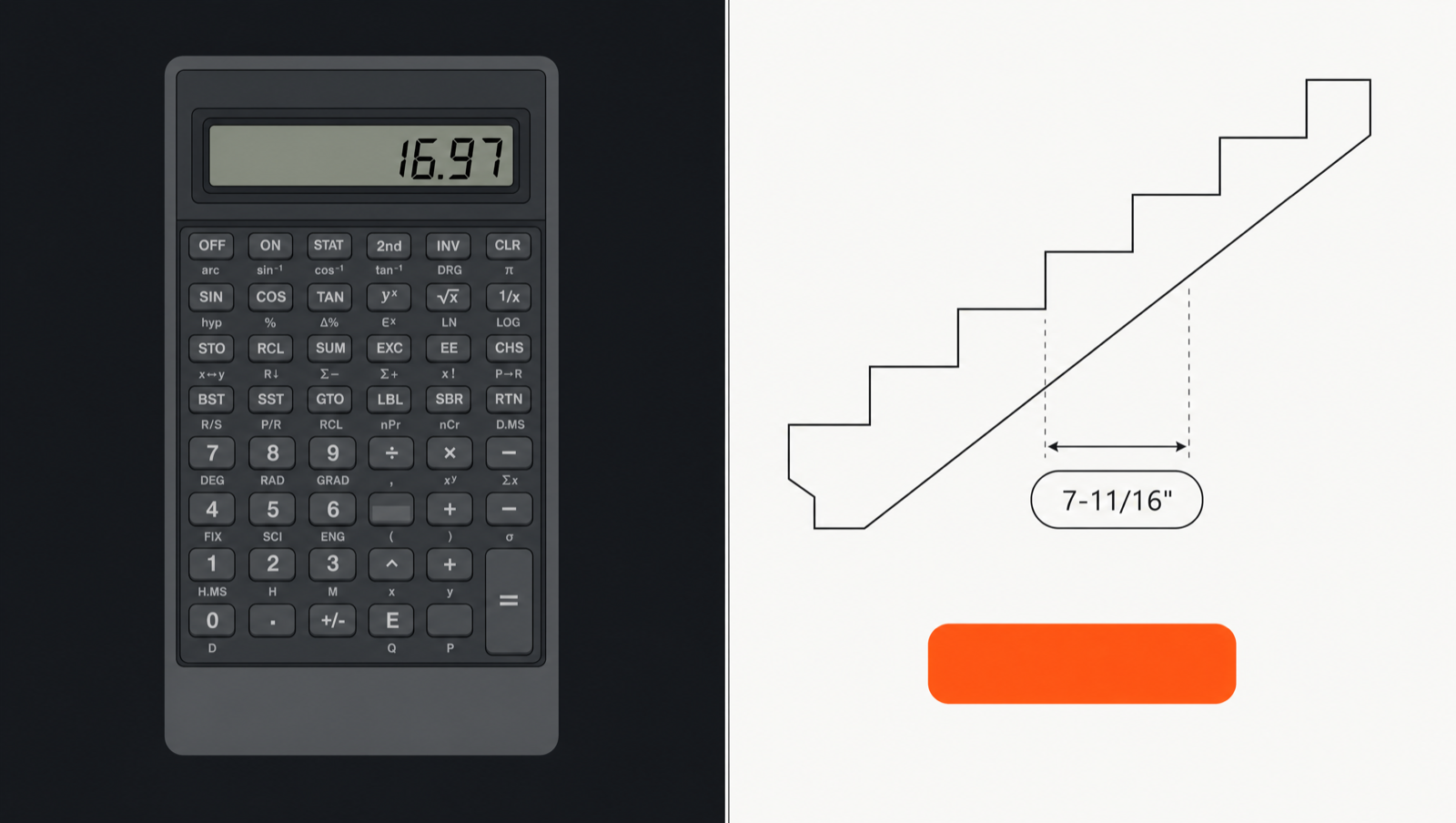
TrueCut showing a dimensioned stair stringer diagram alongside a traditional seven-segment calculator display
Feature TrueCut Construction Master Pro*
Pricing model One-time $24.99 — no subscription, everOur pick Subscription (approximately $24.99/year as listed on the App Store as of June 2026); previous purchasers report migration to recurring billing
Free tier Basic feet-inch math and the full baluster spacing solver — permanently free, no time limit 14-day trial after subscription purchase; no permanent free tier for trade calculations
Calculation output Live dimensioned diagram updates as you type — rafter triangle, stringer profile, saw-dial cut anglesOur pick Numeric result on a seven-segment-style display; supplementary diagram views available for some functions
Fraction entry Dedicated fraction keys (1/2, 1/4, 1/8, 1/16, custom) on the main keypad — no mode toggle requiredOur pick Supports fraction entry; entry method and available shortcuts vary by version
Key size for jobsite use 64 pt keys in Site Mode, generous gaps, haptic confirmation on every key pressOur pick Standard-sized keys; some App Store reviews (as of June 2026) mention missed keystrokes and outdoor readability
Account / login required None. No account, no login. The app makes no network calls — the only connections are system-mediated Apple services (App Store purchases; iCloud trial-date sync)Our pick Subscription management may require sign-in; account requirements vary by version (verify current details at the App Store)
Offline operation Full functionality offline, always — every calculation runs on-device with no app network layer; the only network activity is system-mediated Apple services (App Store purchase; iCloud trial-date sync)Our pick Core calculations work offline; subscription validation may require occasional connectivity
Privacy / data collection Apple "Data Not Collected" label — no analytics, no tracking, no serverOur pick App includes analytics and in-app messaging features per its App Store privacy disclosure
Learning curve Home → Studio → result in three taps; no key sequences, no training guide neededOur pick Uses multi-press key sequences (Pitch, Conv, Rcl) that are powerful once learned, but carry a documented learning curve typical of dedicated construction calculators
Cut-sheet export Dimensioned diagram + cut table as PDF; AirDrop to crew; shareable forever (watermarked after trial) Results can be shared as text; PDF export availability varies by function and version
Family Sharing Enabled on the Full Unlock — one purchase for the whole household Family Sharing support inconsistent across versions (per user reports as of June 2026)
Rafter calculations Common, hip/valley (regular + irregular), jack rafters with cut list, plumb/level/cheek angles, ridge allowance, overhang/HAP Comprehensive rafter functions including common, hip, valley, jack — a CMP strength
Stair calculations Riser/tread solver, stringer profile diagram, configurable code-limit presets (IRC, IBC, Canada NBC, Australia NCC, UK Doc K), headroom check Stair calculation available; limit-checking features vary by version
Function parity Full parity with CMP's core trade functions is a stated v1.x goal — deferred items are clearly marked as free v1.x updates 15+ years of accumulated functions; the established benchmark for trade-calculator breadth

Coming from Construction Master Pro?

CMP's key-sequence approach packs a lot of power into a physical-calculator layout, but those sequences need to be memorized. Here is how the most common CMP workflows translate to TrueCut's three-tap studio approach — same math, no sequences to remember.

Pitch entry

CMP
Enter the rise number, press Pitch, enter 12, press Run to set 7/12 pitch
TrueCut
Open Rafter Studio, tap the Pitch chip, type 7/12 using the fraction keypad — or type the degree value or percent grade with the toggle. Done.
Home → Rafter Studio → Pitch chip

Common rafter solve

CMP
Enter run → Run → enter pitch → PitchDiag to get diagonal; then individual key presses for plumb cut, level cut, cheek cut
TrueCut
Enter run and pitch in the chip strip. The rafter triangle diagram and all cut angles (plumb, level, cheek) update live — displayed as saw-dial graphics showing exactly how to set your saw.
Home → Rafter Studio → enter values

Hip / valley rafter

CMP
Switch to the Hip/Valley function using Conv prefix sequences; enter pitch; retrieve hip diagonal, hip plumb, cheek, and backing angle via separate key presses
TrueCut
Tap the Hip/Valley tab in Rafter Studio. The plan-view diagram shows all angles. For irregular hip, toggle the second pitch field — the jack cut table builds automatically.
Rafter Studio → Hip/Valley tab

Stair layout

CMP
Enter total rise → Rise → (optionally) enter run → Run → read riser height; press further keys for tread, stringer, headroom
TrueCut
Enter total rise (and optionally the available run) in Stair Studio. A scrollable stringer profile diagram draws immediately. Use the +1/−1 riser stepper to trade riser height against tread depth, watching the diagram and code-limit badge update live.
Home → Stair Studio → enter rise

Memory recall (Rcl)

CMP
Rcl followed by a memory slot number to retrieve a stored value
TrueCut
Long-press the = key to open the memory sheet (4 slots: store or recall). The persistent tape also keeps every prior calculation — tap any tape line to restore it to the expression.
Long-press = → Memory sheet, or tap any tape line

Unit conversion (Conv)

CMP
Conv prefix sequences to convert between feet-inches, decimal feet, meters, etc.
TrueCut
Tap the unit chip on the answer line (e.g., "ft-in") — a conversion menu radiates from your thumb. Tap the target unit to convert in place. Full precision is preserved; the display re-rounds to your fraction setting.
Tap unit chip on answer line

Crown / compound miter

CMP
Enter spring angle and corner angle via specific function key sequences; read miter and bevel from the display
TrueCut
In Crown & Miter Studio, pick your spring angle preset (38°, 45°, 52°, or custom) and set the corner angle. Miter and bevel appear as saw-dial graphics — set your saw directly from the screen. An orientation card shows nested vs. upside-down cutting guidance with an illustration.
Home → Crown & Miter Studio

Baluster spacing

CMP
Available in some versions via spacing function keys; specific key sequence varies by version
TrueCut
Enter run length, baluster width, and max gap. Output: count, exact center-to-center spacing, a top-view diagram, and the all-important first-mark measurement from the post — what you actually mark on the rail. Permanently free — no purchase needed.
Home → Deck & Baluster Studio → Baluster solver (free)

Diagonal / square-up check

CMP
Enter two sides; press Diag to get the diagonal; 3-4-5 check is a separate key sequence
TrueCut
Press the right-triangle quick-action key (◺, bottom-right of the main keypad) to open the rise/run/diagonal solver. Enter any two values — get the third plus the 3-4-5 square-up check immediately. Also embedded in Deck & Baluster Studio's layout strip.
Main keypad → ◺ key, or Deck & Baluster Studio

Concrete volume

CMP
Enter dimensions with the concrete-volume function keys; read cubic yards, bag count
TrueCut
Open the Concrete card in Materials Studio. Forms for footings, slabs, columns, and sonotubes — each with an illustrated cross-section. Output: cubic volume, bag counts at standard mix weights, and a waste-factor stepper so your order quantity has a buffer built in.
Home → Materials Studio → Concrete card

The full "Coming from Construction Master?" guide is also available inside TrueCut — reachable from Settings at any time. If there is a CMP workflow not covered here, let us know and we will add the mapping.

Frequently asked questions for switchers

Does TrueCut cover everything Construction Master Pro can do?
Full function-by-function parity with CMP's published feature set is a stated v1.x goal, not a v1.0 claim. TrueCut v1.0 covers the daily-driver calculations that carpenters reach for most: common and hip/valley/jack rafters, stair stringers, deck and baluster layout, crown and compound miter, and materials (including arc and circle layout for arched openings). Any significant gap from CMP's core list will be delivered as a free update within the v1 series — those items are clearly labeled "free update in v1.x" in our feature roadmap. Nothing in the v1.x additions will ever require a separate purchase or subscription.
Will I lose my Construction Master Pro data when I switch?
CMP does not export a file format that TrueCut can import — they are independent apps. Your CMP calculation history stays in CMP. TrueCut starts fresh, and because it produces shareable PDF cut sheets for every calculation, your new work is portable from the first day: AirDrop the stringer PDF to your crew and it is in their hands regardless of what app they use.
I have been using CMP for years. How steep is the learning curve?
The concepts you already know — pitch, rise, run, riser height, spring angle — are the same. What changes is how you enter them: instead of a key sequence like Pitch → 7 → Run → 12, you tap the Pitch chip in Rafter Studio and type 7/12. Most CMP veterans find the studio approach faster within a day or two because there is nothing to memorize beyond "tap the value I want to change." The "Coming from Construction Master?" guide inside TrueCut (Settings → Coming from CMP?) maps the ten most common CMP key sequences to their TrueCut equivalents, and it stays accessible at any time — not just on first launch.
Does TrueCut emulate the CMP keypad layout?
No. TrueCut does not replicate CMP's key layout or key sequences, and that is a deliberate decision. Key-sequence emulation would rebuild the same interaction model that can be slow on a jobsite with gloves and bright sun. TrueCut's approach is translation: the same calculation, reached a different way (three taps, no sequences to remember). If you want a CMP clone, TrueCut is not the right tool. If you want the same math with a modern interface, try the 14-day free trial.
Is the $24.99 really a one-time payment with no future subscription?
Yes. The public commitment, verbatim: "One-time purchase. No subscriptions. Ever." The Full Unlock covers all v1.0 features and every v1.x roadmap item (voice entry, saved projects, additional language packs, and any CMP parity gaps). Future expansions beyond that scope — such as hardware-integration packs for laser rangefinders — will be optional one-time add-ons, never subscriptions. The basic feet-inch calculator and the full baluster solver remain free forever, even with no purchase.
What happens to my TrueCut data if I reinstall or get a new iPhone?
Your Full Unlock purchase is tied to your Apple ID — restore it for free on any device you own via Settings → Restore Purchases, or it restores automatically when you download TrueCut while signed in to the same Apple ID. Your tape history and saved estimates are stored on your device; the only data TrueCut writes to iCloud is your trial start date. TrueCut has no server of its own; there is nothing to lose if TrueCut as a company ever went away — the app and your data are on your device.
Does TrueCut use metric units?
Yes — full metric mode (m, cm, mm) with instant convert-in-place, alongside feet-inch-fraction and decimal feet/inches. Regional code-limit presets for stairs and baluster spacing cover US (IRC residential, IBC), Canada (NBC), Australia (NCC), and UK (Approved Document K) out of the box, defaulted to your App Store storefront. Every preset value is user-editable with a "modified from preset" indicator so you always know where you stand.
What does the free trial include?
The 14-day free trial gives you full access to every feature — no payment information required to start. After the trial, the basic feet-inch calculator and the baluster spacing solver remain free forever. All other studios become read-only teasers: you can still see sample diagrams and demo the app. All calculations, estimates, and cut sheets you made during the trial remain viewable and exportable (with a watermark) — nothing disappears. The full unlock is $24.99, one time.

Try it free for 14 days

No payment info. No subscription. Full access from day one.

Download on the App Store